O aumento de preço do Nintendo Switch 2 em 2025 e os reajustes de tarifas que vieram depois deixaram o hobby mais caro no PC, no console e até no celular. Os apps certos no telefone reduzem bem o custo ao rastrear promoções, listas de desejos e jogos grátis para resgatar antes da janela fechar. Estes seis apps Android cobrem o fluxo prático de ofertas: lista da Steam, resgates gratuitos, promoções de jogos Android e duas ferramentas de IA que realmente ajudam a achar o melhor preço entre lojas.
O que procurar em um app de ofertas de jogos
Um app útil reúne três pontos, e a maioria não cobre os três:
- Cobertura real das lojas onde você compra. Steam, Epic, GOG, PlayStation, Xbox, Nintendo e Google Play têm ritmos diferentes de promoção. Um app que só olha uma loja perde a maior parte das chances.
- Alertas guiados pela lista de desejos. As ofertas que importam são dos jogos que você já quer. Push quando um item cruza seu alvo é mais útil que um feed genérico de descontos.
- Histórico de preço honesto. 75% de desconto não diz nada se o preço “cheio” foi quatro vezes o mínimo real. Apps com gráfico filtram ofertas falsas.
- Pouco ruído de anúncios e notificações. Alguns apps spammam cada queda de preço. Prefira um que agrupe alertas e respeite o modo Não perturbe.
Comparativo rápido
| App | Melhor para | Grátis | Cobertura | Aptoide |
|---|---|---|---|---|
| Steam | Alertas de lista e promoções Steam | Sim | Steam | Sim |
| Reddit (r/GameDeals) | Feed de ofertas multiplataforma | Sim | Grandes lojas | Sim |
| Prime Video / Prime Gaming | Jogos grátis mensais | Assinatura | PC | Sim |
| Salvar threads de ofertas para ler depois | Sim | Todas | Sim | |
| Microsoft Copilot | IA para comparar preços entre lojas | Sim | Grandes lojas | Sim |
| Google Gemini | Assistente de IA para pesquisar ofertas | Sim | Grandes lojas | Sim |
Os 6 melhores apps para promoções de jogos no Android em 2026
1. Steam — melhor para ofertas da lista de desejos no PC
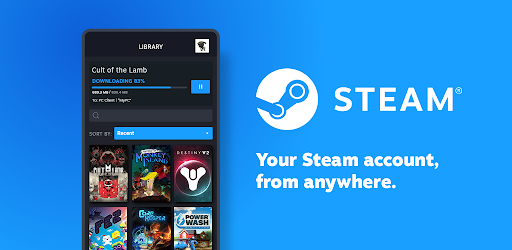
O app mobile da Steam é o jeito mais simples de pegar promoções de um jogo na lista sem abrir o cliente de desktop todo dia. Monte a lista no desktop ou na web, instale a Steam no Android e as notificações disparam quando um título cai de preço ou entra numa campanha. O app também mostra o gráfico de histórico que a Steam vem expandindo, então um desconto de 50% fica claro ao lado do menor preço já registrado.
Chat, compartilhamento familiar e instalação remota são extras; o foco são os alertas da lista.
Onde falha: só cobre a Steam. As notificações são confiáveis, mas não dá para definir um percentual-alvo: qualquer desconto dispara. A loja mobile funciona, porém é mais lenta que no desktop.
Preço:
- Grátis.
Plataformas: Android, iOS, desktop, web.
Conclusão: essencial para qualquer jogador de PC com lista na Steam.
2. Reddit — melhor feed multiplataforma de ofertas
O Reddit via r/GameDeals (e r/FreeGameFindings, r/AndroidGaming, r/PSDeals, r/XboxDeals) é a fonte multiplataforma mais consistente. A comunidade vota ofertas para cima, marca promoções enganosas e posta giveaways em minutos. As notificações de subreddit no Android podem mandar um digest quando uma oferta popular explode numa comunidade.
Um multireddit juntando os subs de ofertas é a configuração recomendada: um feed, todas as lojas, ordenado por voto.
Onde falha: mudanças de UI do app oficial afastaram usuários antigos; alguns preferem clientes de terceiros. As notificações podem disparar demais em mega promoções.
Preço:
- Grátis com anúncios.
- Reddit Premium: cerca de US$ 5,99/mês, sem anúncios.
Plataformas: Android, iOS, web.
Conclusão: o melhor feed multiplataforma. Inscreva-se nos subs certos e ative digests.
3. Prime Video — jogos grátis mensais via Prime Gaming
O Prime Video é o app Android que a maioria usa pelo streaming do Amazon Prime, enquanto o benefício Prime Gaming (jogos grátis mensais, loot in-game e resgates gratuitos rotativos) fica na mesma conta Amazon. Não há app dedicado de Prime Gaming no Android; o fluxo de resgate roda no navegador mobile e os avisos chegam pelo Amazon Shopping ou Prime Video.
Se a Prime já está no seu orçamento, os jogos de PC mensais são fáceis de resgatar no celular no tempo de ler uma notificação.
Onde falha: sem app Prime Gaming próprio no Android (resgate ainda pelo navegador). Jogos de PC vão para o Amazon Games Launcher, não Steam ou Epic. A rotação do catálogo pode ser irregular.
Preço:
- Incluso no Amazon Prime: cerca de US$ 14,99/mês nos EUA.
Plataformas: Android, iOS, web (resgates), Amazon Games Launcher (jogar).
Conclusão: vale a pena se a Prime já entra no planejamento. Trate os jogos mensais como extra além do streaming.
4. Pocket — salvar threads de ofertas para ler depois
O Pocket é o app de ler depois que funciona como camada de fluxo para ofertas. Salve threads do Reddit, posts sobre a próxima promo Steam e análises de bundles, e leia no trem sem perder o link. Tags como “comprar em promo” mantêm a fila acionável.
Extensões de navegador e a folha de compartilhar no Android aceleram o salvamento.
Onde falha: o Pocket não monitora preços sozinho; é uma camada sobre as fontes. O Premium ficou mais agressivo ao bloquear recursos antes gratuitos.
Preço:
- Grátis com anúncios no Discover.
- Premium: cerca de US$ 4,99/mês ou US$ 44,99/ano.
Plataformas: Android, iOS, web, extensões de navegador.
Conclusão: a escolha certa para reunir posts de ofertas e reviews de bundles num lugar pesquisável.
5. Microsoft Copilot — melhor IA para comparar preços entre lojas
O Microsoft Copilot responde perguntas como “qual o preço atual de Baldur’s Gate 3 na Steam, GOG e Epic, e alguma fica mais barata com desconto regional?” com um resumo útil e fontes. A precisão não é 100%; sempre abra os links. Para um “esse jogo está em promo em algum lugar?” rápido, vence abrir quatro abas.
O modo voz lida com follow-ups como “avise quando cair abaixo de US$ 30” pela extensão de lembretes conectada.
Onde falha: fontes podem atrasar horas. Dados regionais são mais fracos fora de EUA, UE e Reino Unido. É um app de chat, não um painel de ofertas.
Preço:
- Grátis com a maior parte dos recursos.
- Copilot Pro: cerca de US$ 20/mês para modelos avançados.
Plataformas: Android, iOS, web, Windows.
Conclusão: uma segunda opinião útil para checar se a oferta é real entre várias lojas.
6. Google Gemini — melhor IA para pesquisar ofertas e bundles
O Google Gemini cobre perguntas parecidas com o Copilot e soma integração com Workspace se orçamento ou lista ficam no Google Sheets. Peça “resuma o Humble Choice atual e diga quais jogos passam de 80 no OpenCritic” e ele cruza o conteúdo do bundle com reviews. Para decidir “esse bundle vale a pena” de uma vez, é mais rápido que um tópico de fórum.
O modo voz no Android Auto vira a mesma pergunta numa checagem mãos livres.
Onde falha: mesmas ressalvas do Copilot. Preços ao vivo nem sempre estão atualizados. Às vezes o Gemini alucina o conteúdo do pacote — confira na fonte.
Preço:
- Grátis com a maior parte dos recursos.
- Google AI Pro: cerca de US$ 19,99/mês.
Plataformas: Android, iOS, web.
Conclusão: um assistente de pesquisa útil se você já vive no ecossistema Google.
Como montar sua pilha de ofertas
- PC: Steam (alertas de lista) + Reddit (r/GameDeals) + resgates opcionais do Prime Gaming via Prime.
- Console: subreddits (r/PSDeals, r/XboxDeals, r/SwitchDeals) + app oficial da plataforma.
- Jogos Android: Reddit (r/AndroidGaming) para rodadas de promoções + faixa de ofertas da Play Store.
- Pesquisa: Microsoft Copilot ou Google Gemini para comparar antes de comprar.
- Fluxo: Pocket para guardar artigos longos de ofertas para o trajeto.
Perguntas frequentes
Qual o melhor app para ofertas de jogos?
Para jogadores de PC com lista na Steam, o app oficial da Steam é a fonte com mais sinal. Para cobertura multiplataforma, o Reddit (r/GameDeals e vizinhos) é o feed mais confiável. Junte os dois para o máximo de alcance.
Como acompanhar preços de promo Steam no Android?
Instale a Steam, entre na conta e adicione jogos à lista no cliente desktop ou web. Itens da lista disparam push em promoção. O app mostra o gráfico de histórico para confirmar se o desconto atual está perto do menor já visto.
Os jogos grátis do Prime Gaming valem a pena?
Se você já paga Amazon Prime, sim. O catálogo roda mensalmente com vários jogos de PC inclusos. Há indies e first-party, mas lançamentos de destaque também aparecem. Os resgates passam pelo Amazon Games Launcher no PC.
Existe um rastreador gratuito tipo “is there any deal” no Android?
O site IsThereAnyDeal tem clientes Android feitos pela comunidade na Play Store; o serviço oficial é web-first e não há app Android publicado pelo desenvolvedor. Para muita gente, Steam oficial + subreddits no Reddit cobre o mesmo terreno sem tracker de terceiros.
{/* FAQPage schema: generate JSON-LD from the Q&A pairs above before publishing */}